Audio technology projects by Atharva BankarBuilding new tools for sound.

Alongside studio work, our founder Atharva Bankar researches and builds new ways to perform, see and shape sound. These open-source projects explore gesture control, real-time visualisation and creative technology, and they feed straight back into how we work at The Richmond Studios.

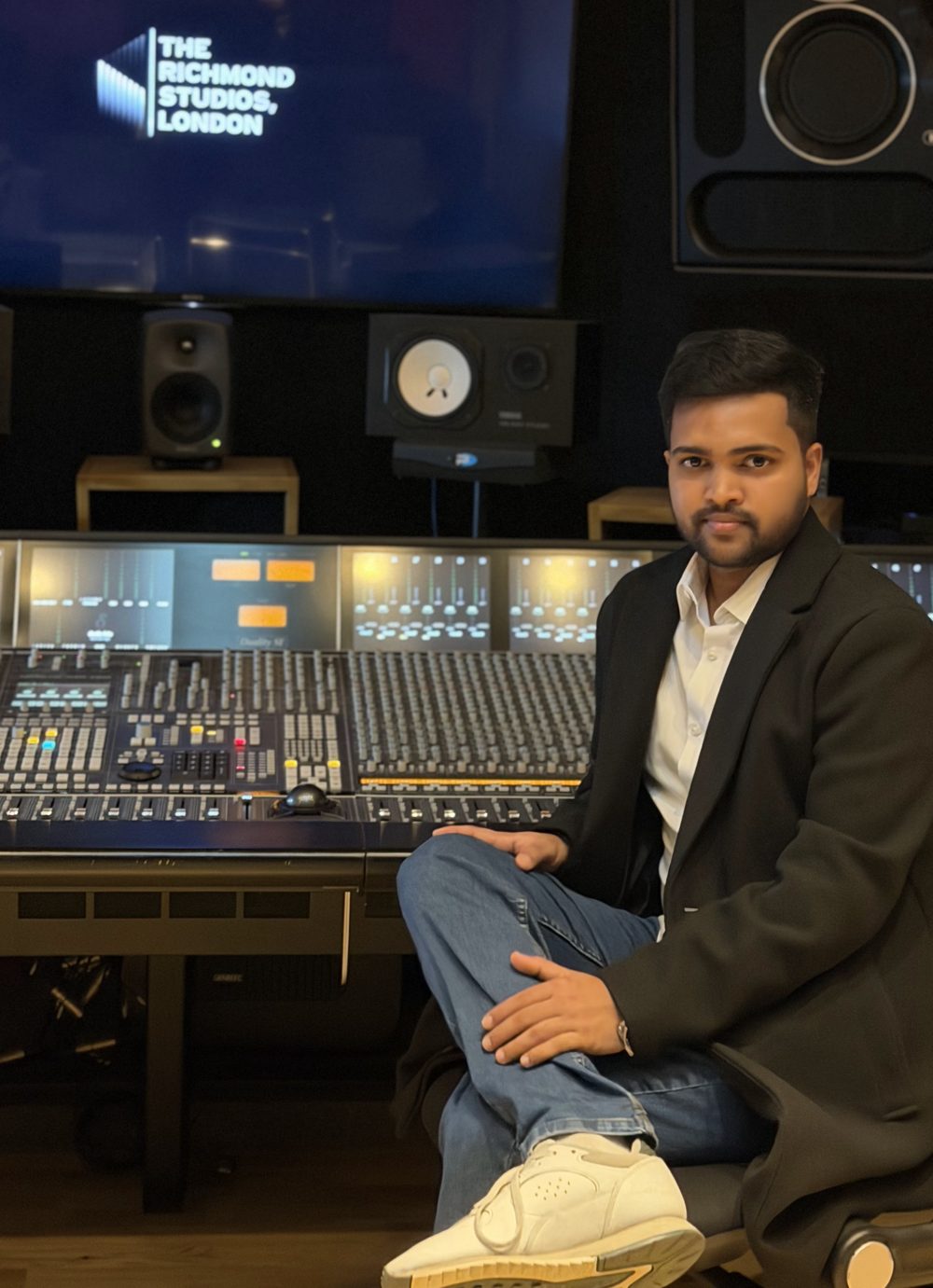
Atharva BankarFounder & CEO · Sound designer and creative technologist

Gesture control · AI hand tracking

Gesture Foley

Perform foley with your hands, live in front of a camera.

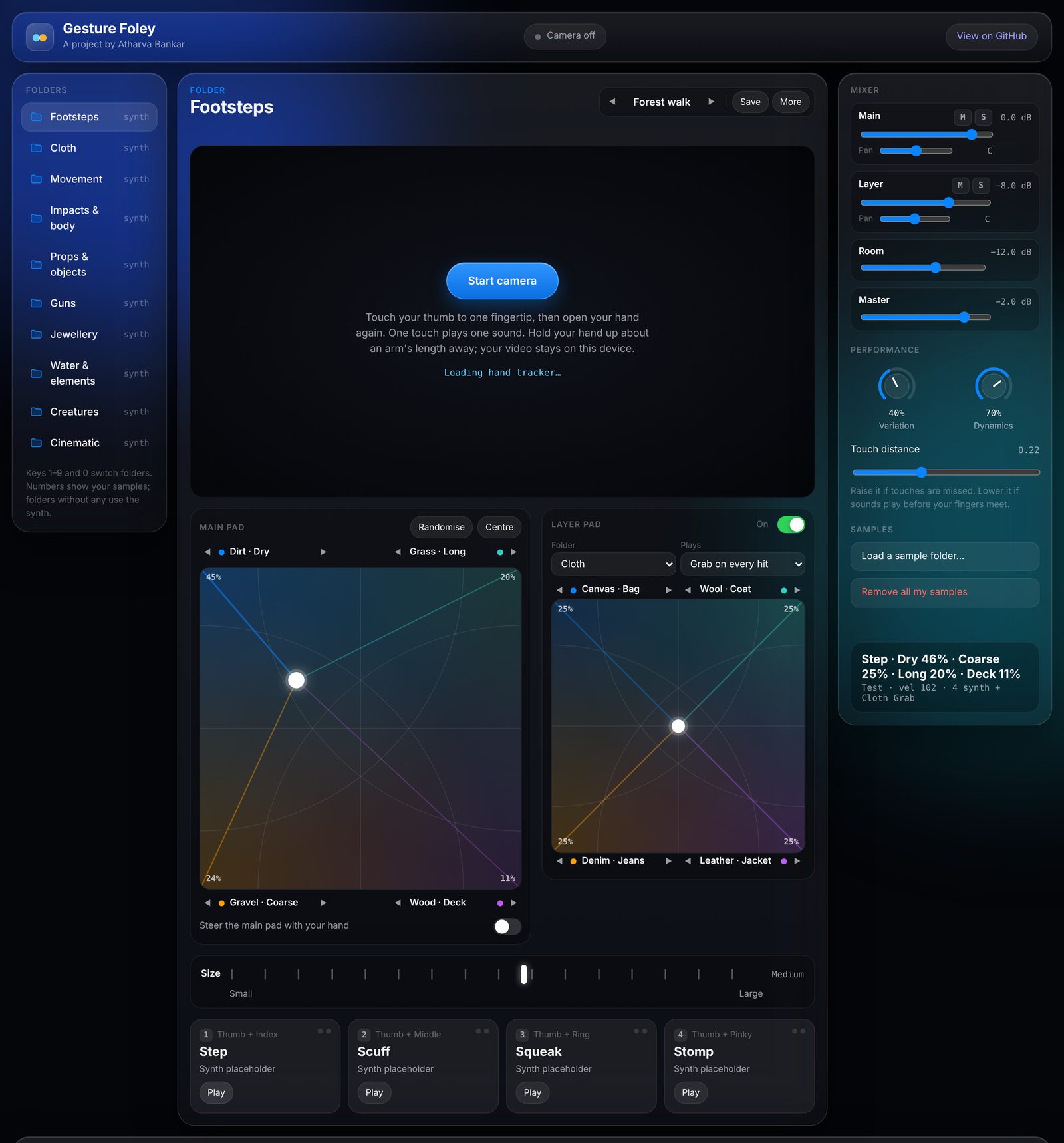
Gesture Foley browser app with ten sound folders, the camera stage, main and layer XY pads, size control, finger slots and mixer

Foley artists perform sounds like footsteps and cloth movement in sync with picture. Gesture Foley brings that performance to a webcam. An AI hand tracker follows your fingers, and touching your thumb to a fingertip plays a sound, so you can perform a whole foley pass in front of your screen without a pit full of props.

It runs in the browser with no install, or as a Python app that sends every touch as MIDI into a DAW like Reaper, where the performance can be edited like any foley recording. Ten sound folders, from footsteps, cloth and props to jewellery, creatures and cinematic hits, hold 143 sub-categories such as Wood › Stairs or Leather › Jacket, and you can drop your own recorded samples into any of them.

  • Precise by design. Fingertips are smoothed with a One Euro filter, each touch plays once, and only the clearly closest finger can fire, so two sounds never trigger together.
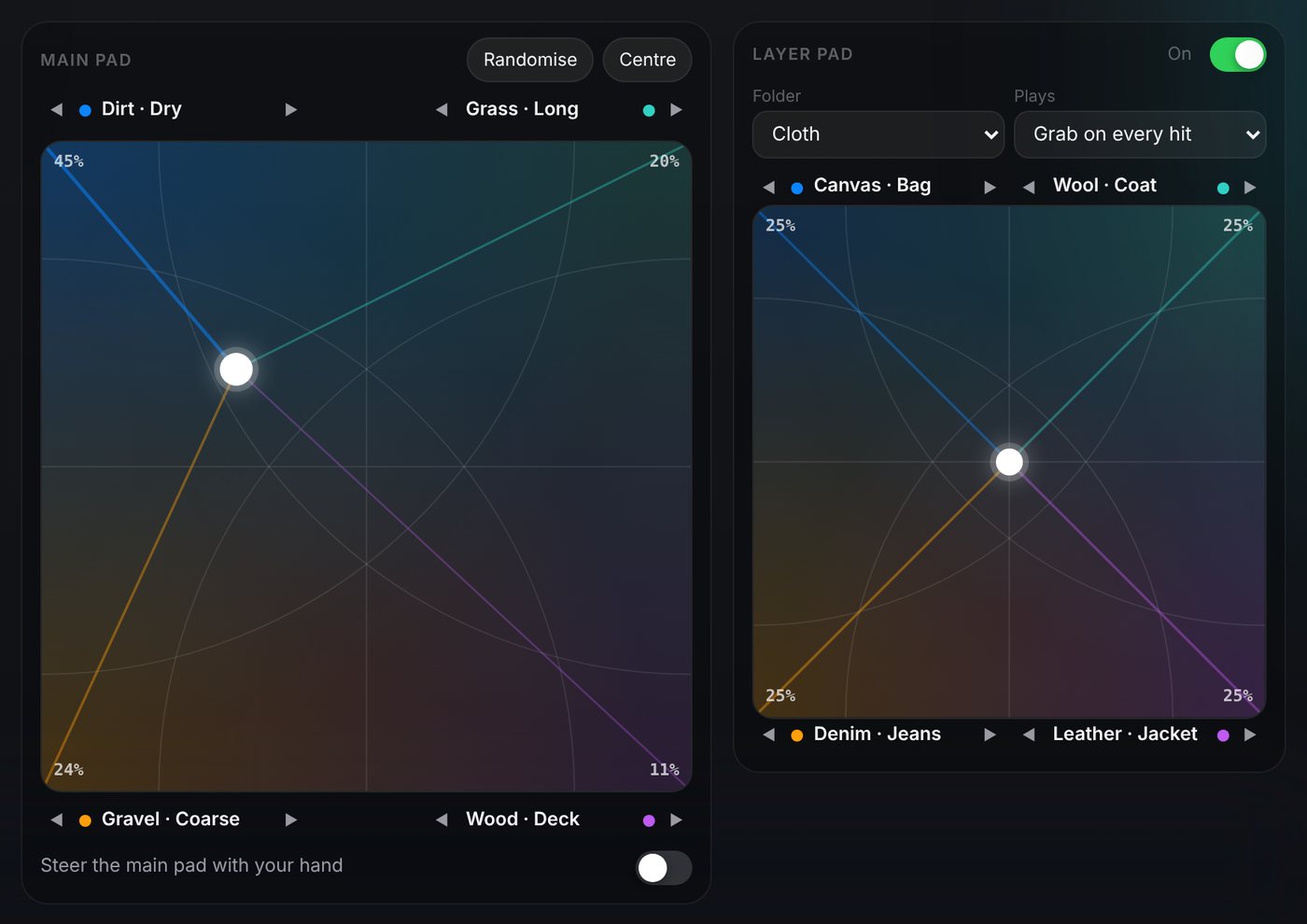
  • Blend pad. Each folder has an XY pad with a surface in every corner. Move the point, or steer it with your palm, and each hit mixes the four at an even loudness.
  • Layer pad. A second pad plays with every hit from any folder: cloth under footsteps, keys and chains under horses, whooshes under cinematic hits.
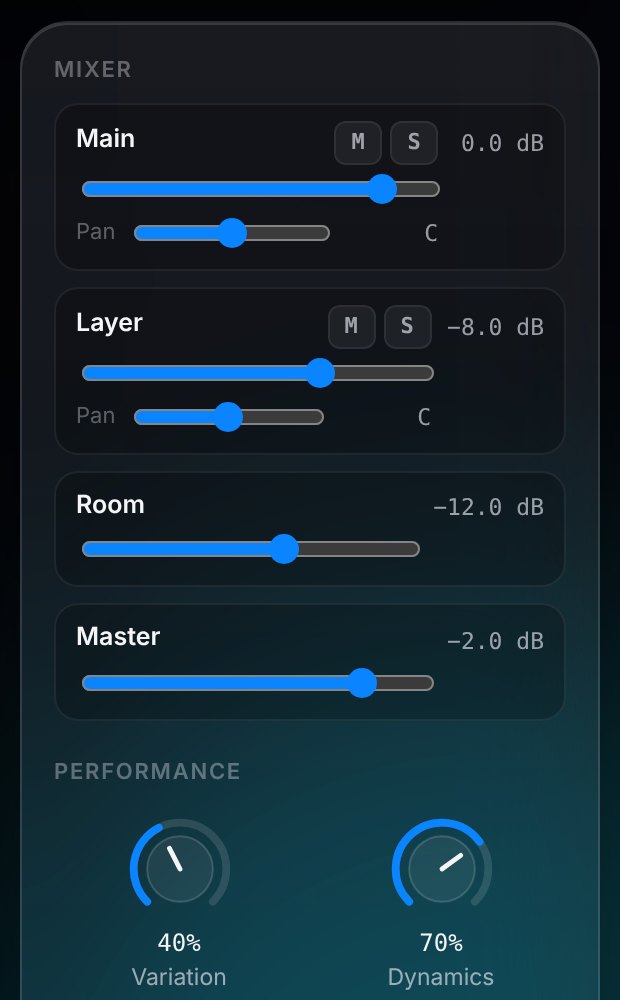
  • Size, mixer and templates. Size changes the character's weight, a mixer sets level, pan, mute, solo and room, and 22 templates such as Forest walk, Bar fight or Storm set it all in one click.
  • Expressive. How fast your fingers close sets the velocity: a quick touch is a hard, running step.
  • Next step. A JUCE plugin (VST3/AU) for Pro Tools and Reaper, with a recorded sample library.
Finger map
  • Thumb + indexStep
  • Thumb + middleScuff
  • Thumb + ringSqueak
  • Thumb + pinkyStomp

One touch plays one sound. How fast your fingers close sets the velocity.

Main XY pad blending Dirt, Grass, Gravel and Wood footsteps, beside a layer pad adding cloth to every hit
Main and layer blend pads
Mixer with Main, Layer, Room and Master channels and Variation and Dynamics controls
Mixer

How it works

  1. CameraWebcam video, 30–60 fps
  2. Hand trackingMediaPipe finds 21 points per hand
  3. SmoothingOne Euro filter steadies fingertips
  4. Touch detectionThumb-to-fingertip, re-arms on release
  5. Blend + mixXY pads mix four surfaces, plus a layer
  6. Sound + MIDISamples play; notes and CCs go to the DAW
  • Python
  • JavaScript
  • MediaPipe
  • Web Audio API
  • MIDI
  • Reaper
macOS app · Real-time audio visualisation

NotchWave

A live waveform that grows out of the MacBook notch.

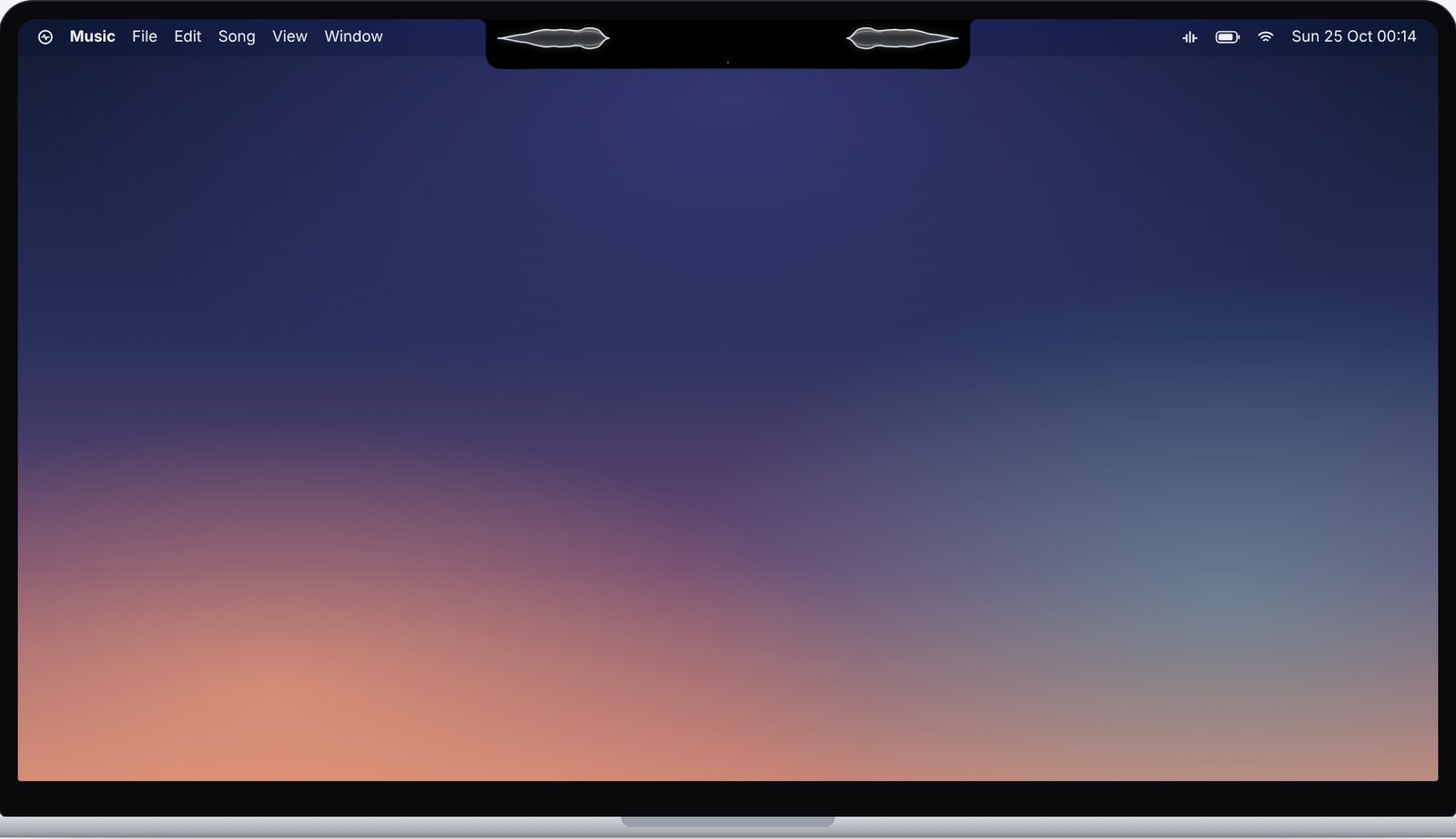
Simulated MacBook screen with the NotchWave waveform growing from the notch

NotchWave turns the MacBook notch into a living part of the interface. At rest the notch looks normal. When sound plays, it widens on a spring and frosted-glass waveforms rise out either side, then it settles back about 1.6 seconds after the sound stops. The aim was for it to feel like a feature Apple could have shipped.

It listens to the microphone, everything the Mac is playing, or a single app. Bass sits next to the notch and treble reaches out to the tips, mirrored left and right: the same frequency layout as the vinyl visualiser, unrolled along the menu bar.

  • Five shapes. Wrap, Wave, Bars, Thread and Dots, in Glass, Aurora or System Accent colours.
  • Private by design. Audio is analysed in memory and discarded. Nothing is recorded or sent anywhere.
  • Fits every notch. The size is read from macOS, and displays without a notch get a virtual one while audio plays.
Close-up of the Wave style either side of the notch

Top: illustration. Bottom: the Wave style in the live demo.

How it works

  1. CaptureAVAudioEngine (mic) or ScreenCaptureKit (all audio or one app)
  2. Analyse2048-point FFT with Apple Accelerate, ~94 updates a second
  3. Map24 log bands from 40 Hz to 16 kHz, bass at the notch
  4. DrawSwiftUI Canvas every frame, spring physics for the shape
  • Swift
  • SwiftUI
  • AVAudioEngine
  • ScreenCaptureKit
  • Accelerate (FFT)
  • macOS 14+
Web Audio + Three.js · 3D audio visualisation

Vinyl Audio Visualizer

Sound cut into a spinning 3D record, live in your browser.

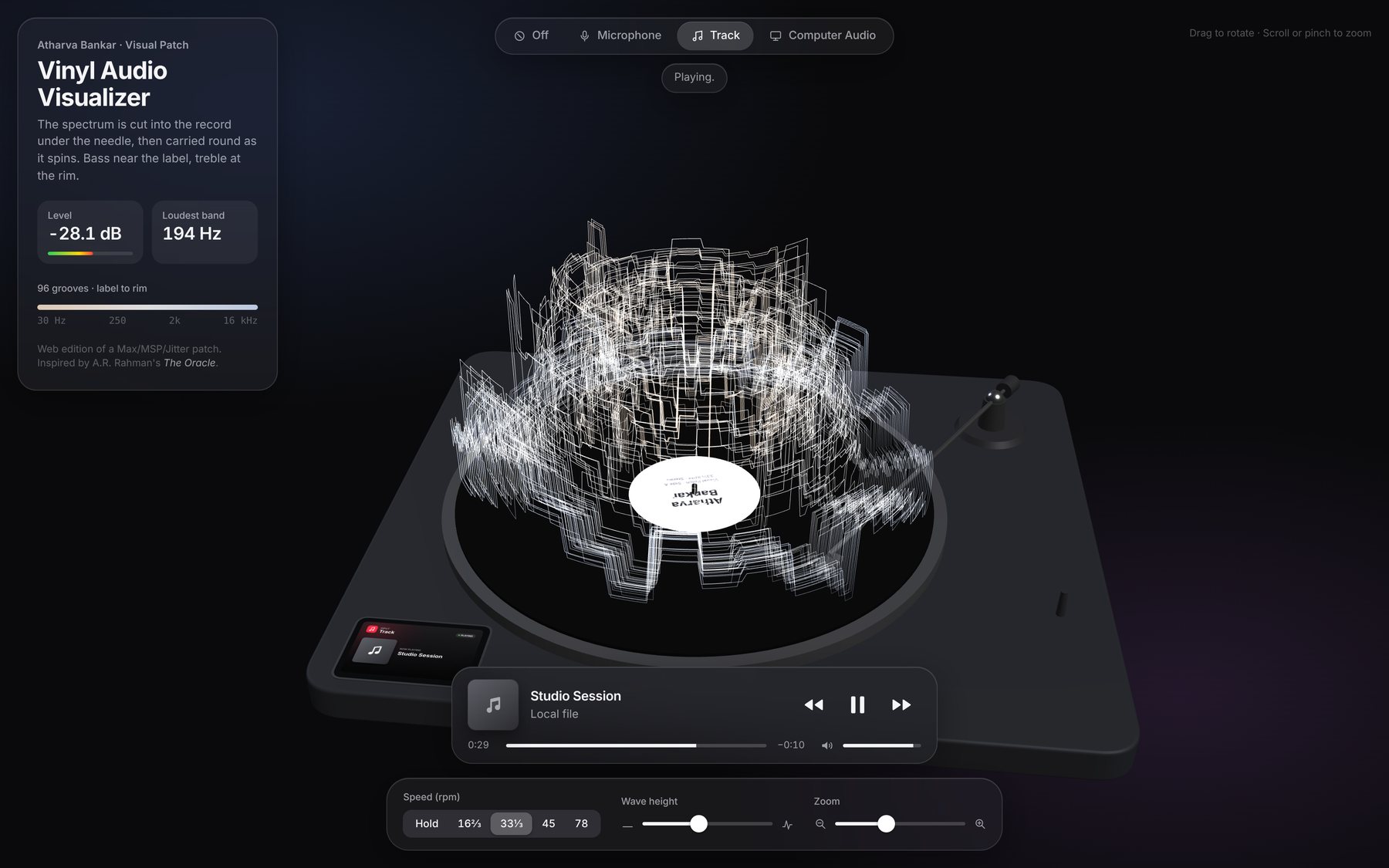
Vinyl Audio Visualizer website playing a track, with frequency peaks rising from the record on a 3D turntable

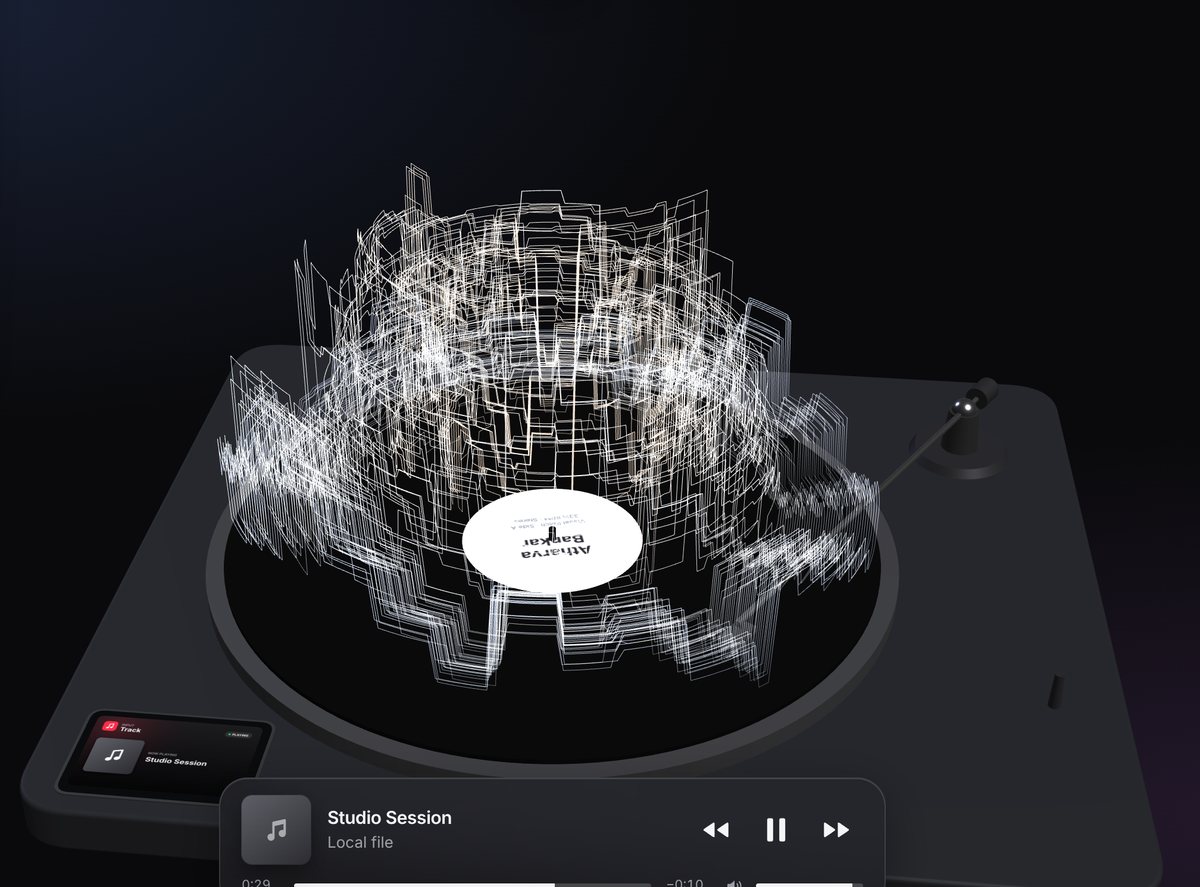
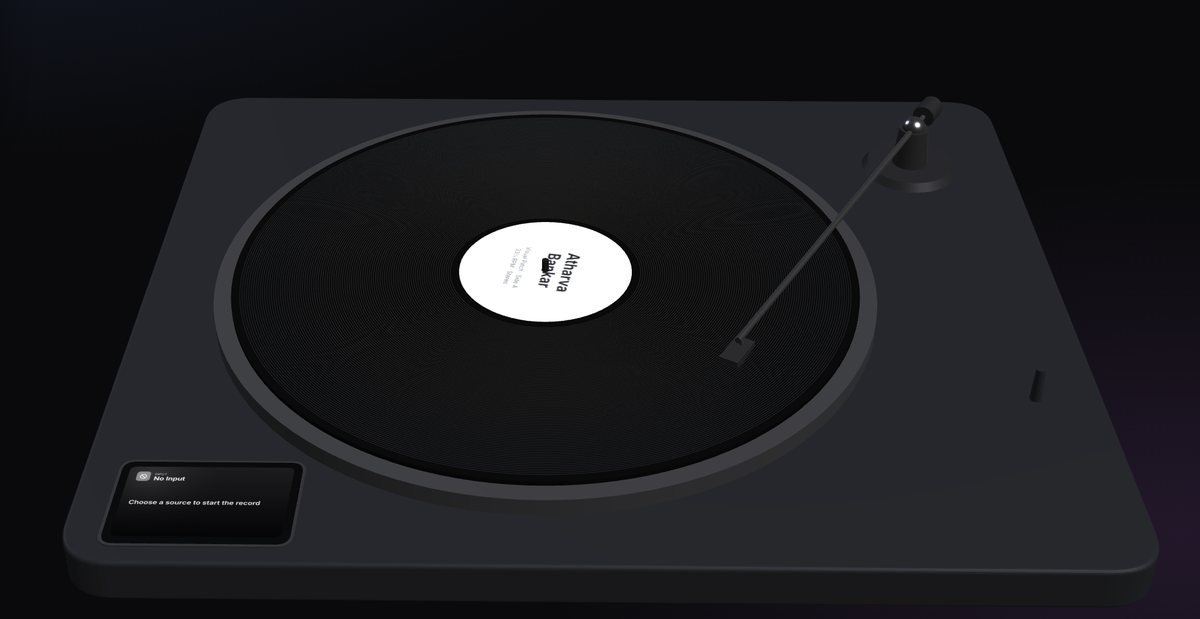
The Vinyl Audio Visualizer draws music as a landscape on a turning record. Each moment's spectrum is cut into the vinyl under the needle, and the spinning record carries that history round, so tall peaks rise from the surface and travel with it. Ninety-six grooves run from 30 Hz at the label to 16 kHz at the rim. With no sound, the grooves stay flat.

It started as a Max/MSP and Jitter patch at university, inspired by the video for The Oracle, a theme by A. R. Rahman. The website rebuilds it for anyone to use: a full 3D turntable with a graphite base, metal platter and tonearm, wrapped in a frosted-glass interface.

  • Three sources. The microphone, your own tracks (drop files to make a queue), or audio from a browser tab or the whole computer.
  • Like a real deck. Hold, 16⅔, 33⅓, 45 and 78 rpm, wave height and zoom, and drag to rotate the turntable.
  • Now Playing. An Apple Music-style bar with album art and track details read from MP3, FLAC and M4A files.
Close-up of frequency peaks rising from the spinning record
Peaks travel with the record
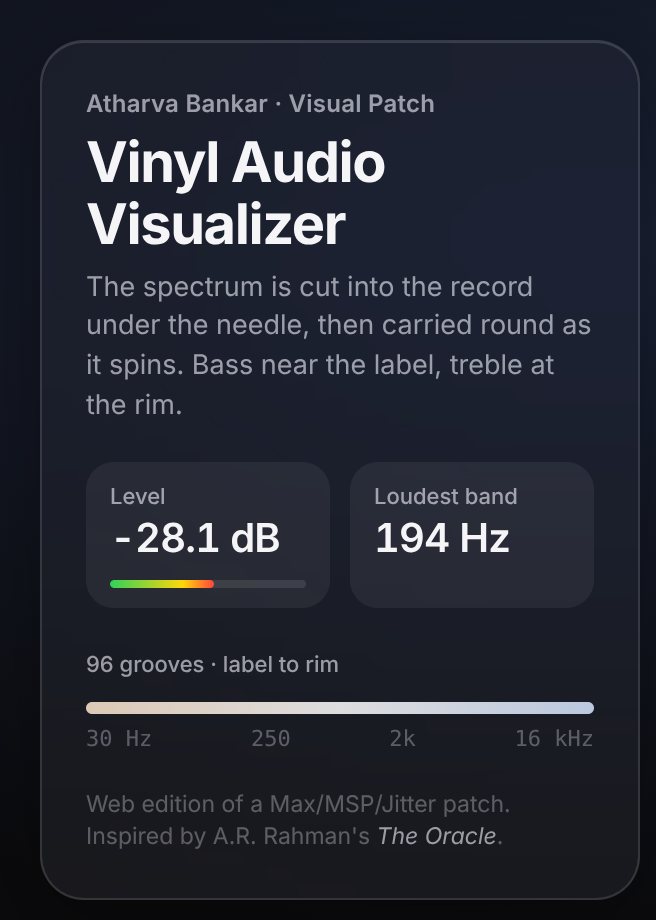
Glass info panel showing level, loudest band and the 30 Hz to 16 kHz groove scale
Live level and loudest band

How it works

  1. SourceMicrophone, audio files or computer audio
  2. AnalyseWeb Audio FFT, 4096 points, read every frame
  3. CutSpectrum written into 96 grooves under the needle
  4. SpinThe platter carries each moment round at the chosen rpm
  5. RenderThree.js draws the turntable and peaks in 3D
The 3D turntable at rest with a flat record, before any sound plays
  • JavaScript
  • Three.js
  • Web Audio API
  • WebGL
  • Max/MSP origins
Work with us

Bring this thinking to your project.

Enquire now

Tell us about your project