Dialogue · CreatorSonicWhat happens when an engineer cleans up your dialogue
Noise, echo and uneven levels make viewers click away. Here is how a dialogue editor fixes them, step by step, and how to record so there is less to fix.
By The Richmond Studios3 min read
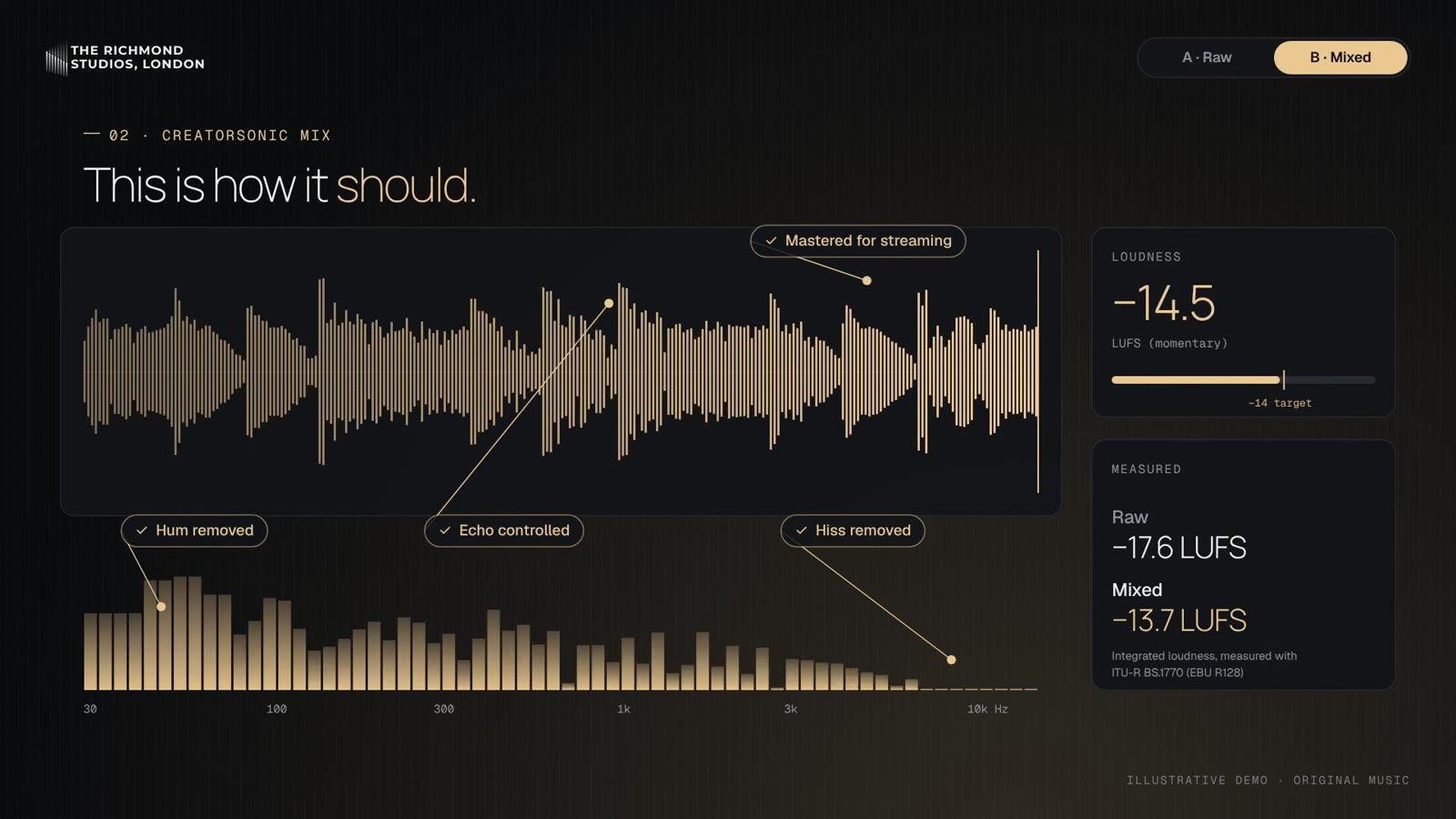
Viewers will forgive a slightly soft picture. They rarely forgive audio they have to strain to hear. A hum under every sentence, a room that echoes or a voice that jumps in volume between shots makes people reach for the skip button, however good the content is.
Cleaning up dialogue is one of the most common jobs we do, for films, broadcast and the creators who use CreatorSonic. Here is what actually happens to your audio once it reaches an engineer.
1. We listen before we touch anything
The first pass is just listening, on studio monitors and on headphones. We note what is wrong and where: traffic in one scene, a fridge hum in another, a lav mic rubbing on clothing, a line that clipped because someone laughed. We also note what is right, because the goal is to keep the character of a voice, not to sand it flat.
2. Editing, line by line
Before any processing, the dialogue is edited by hand:
- Choosing the best take. If a line was recorded twice, or on two microphones, we pick the cleanest version for each phrase.
- Removing distractions. Lip smacks, chair creaks and breaths that draw attention are cut or reduced. Natural breaths stay, because removing them all sounds robotic.
- Filling gaps with room tone. When something is cut, the silence left behind is filled with the sound of the same room, so the background never drops out.
3. Repair and noise reduction
Then the repair work starts. Steady noise like hum, hiss and air conditioning is reduced carefully and in small amounts, because heavy-handed noise reduction leaves voices sounding watery. Clicks, crackles and short bursts of noise are repaired individually. Echo from bare rooms is reduced so the voice sounds closer and clearer. Clipped peaks, where the recording overloaded, can often be rebuilt.
None of this is a single button. Every fix is judged by ear, in context, by an engineer. We don’t use AI to edit our clients’ audio, because the right decision for one sentence can be the wrong one for the next.
4. Making it sound consistent
A video shot over a day, in different rooms and on different microphones, rarely matches. We even out the tone with EQ, so the voice sounds like the same person in the same space throughout. Then we balance the levels so nobody has to adjust the volume between scenes.
5. Mixing and mastering for where it will be heard
Finally, the dialogue is mixed with any music and sound effects and mastered to the right loudness for its destination. YouTube, podcasts, broadcast television and cinema all expect different targets, and getting this wrong means your video sounds quieter, or more squashed, than everything around it. We also check the mix on phone speakers and earbuds, because that is how most people will hear it.
How to record so there is less to fix
A few habits make a bigger difference than any plug-in:
- Get the microphone close. The nearer the mic is to the mouth, the less of the room it records.
- Choose soft rooms. Curtains, sofas, carpets and bookshelves soak up echo. Kitchens and bathrooms add it.
- Record ten seconds of silence in the room before you start. It gives the engineer a clean sample of the background noise to work from.
- Send the original files, straight from the camera or recorder, not a compressed export. If you used a separate microphone, send its file too.
- Watch your levels. Aim for the loudest moments to peak well below the top of the meter, so a laugh or a shout does not clip.
If you have a recording that needs rescuing, or you want your next upload to sound like a film, get in touch. Tell us what you are working on and an engineer will come back to you.